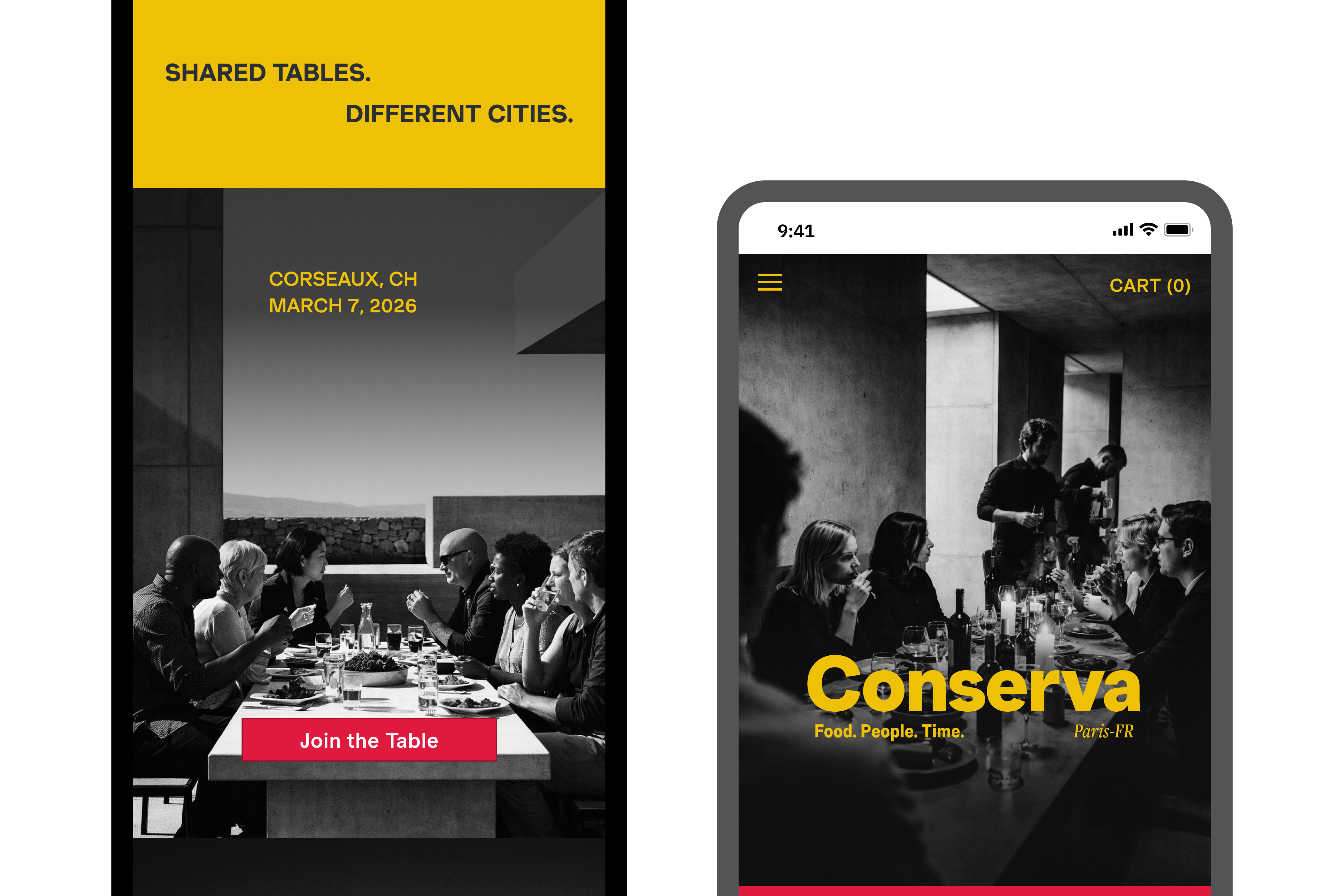
Food apps that feel clinical, or ones that feel chaotic. Neither is right.
Food platforms tend to fall into two patterns. Some are purely functional: structured, efficient, and difficult to browse with any sense of pleasure. Others lean heavily into visual richness, but lose clarity under the weight of it.
Neither serves the discerning home cook. What that user wants is a platform that feels like it has an opinion, on what's worth eating, how food should be described, what's worth showing and what's worth leaving out. And critically, that opinion has to hold. A platform that's expressive on the discovery screen and transactional three taps in doesn't feel curated. It feels inconsistent. In a premium context, inconsistency reads as carelessness and a user who stops trusting the curation stops using the platform.
Design challenge: How do you build a product that feels expressive and opinionated at every touchpoint, without that expression collapsing into inconsistency as it grows?
Structure doesn't limit creativity. It protects it.
Early exploration made one thing clear: a distinct visual voice only stays distinct if it's anchored by rules — colour, typography, composition, and how those elements relate to each other across screens. Without that, the system fragments as content is added.
Conserva's visual language is built on contrast and structure: bold, graphic, expressive, confident, opinionated. Inspired by Prince's stage presence, imposing brutalist architecture, and digital realism, the brand doesn't whisper. Colour appears in saturated, deliberate blocks — never decorative, always structural. Full-bleed photography is not decoration either; it serves as the primary navigation signal, reducing cognitive load while maintaining richness.
It feels contemporary, but controlled. Expressive, without losing discipline.
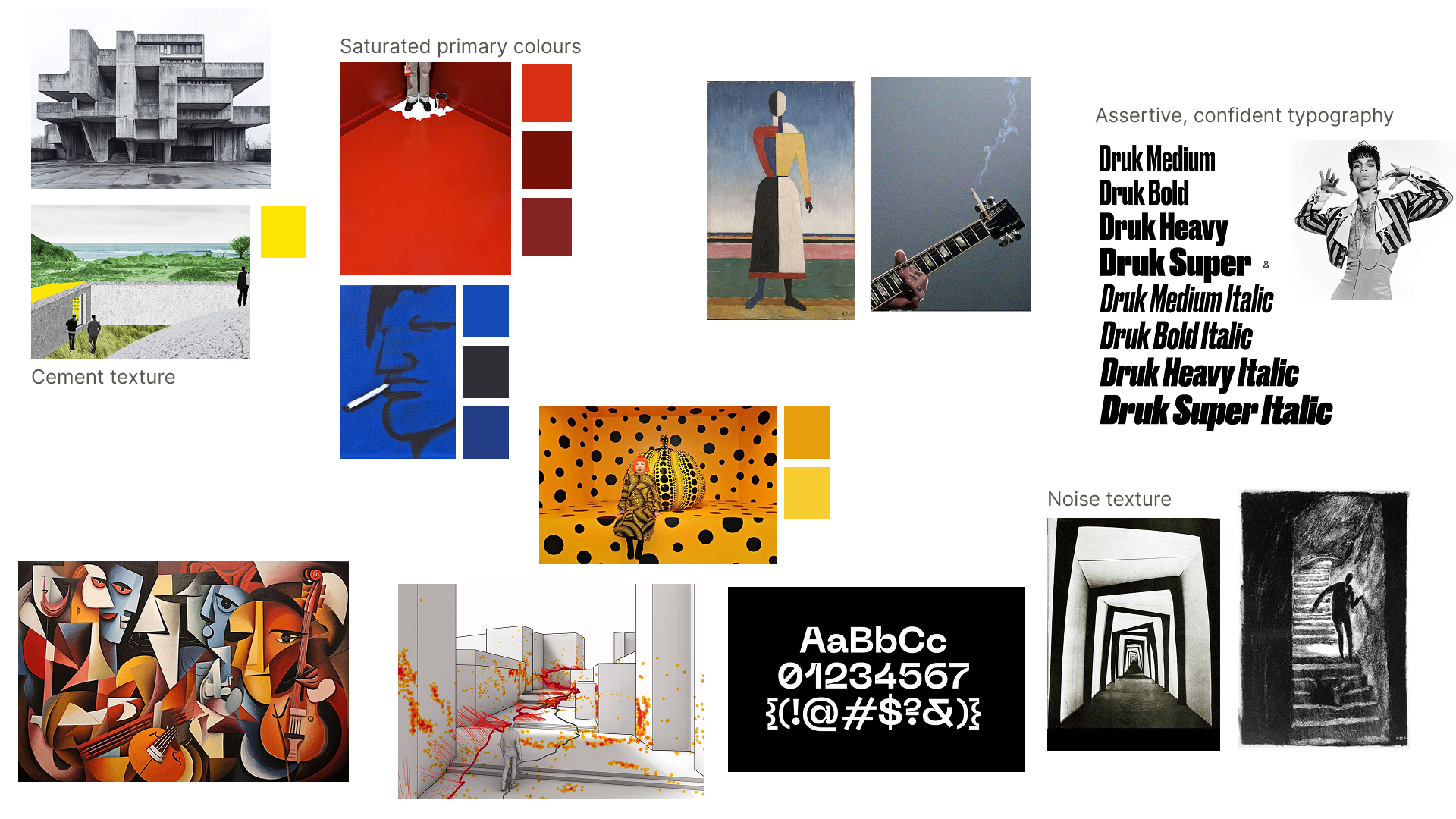
A visual language built to scale without diluting.
The system defines a fixed palette, a type scale with intentional weights, and a structured AI prompting framework so every generated image — hero photography, ingredient close-ups, packaging renders — reads as part of the same coherent world, regardless of who's generating it or when.
I built the system from the ground up using Atomic Design methodology, defining colour, type, spacing, and components first so the work could scale without losing its point of view. This structure scales across iOS, Android, and web while maintaining a clear point of view.
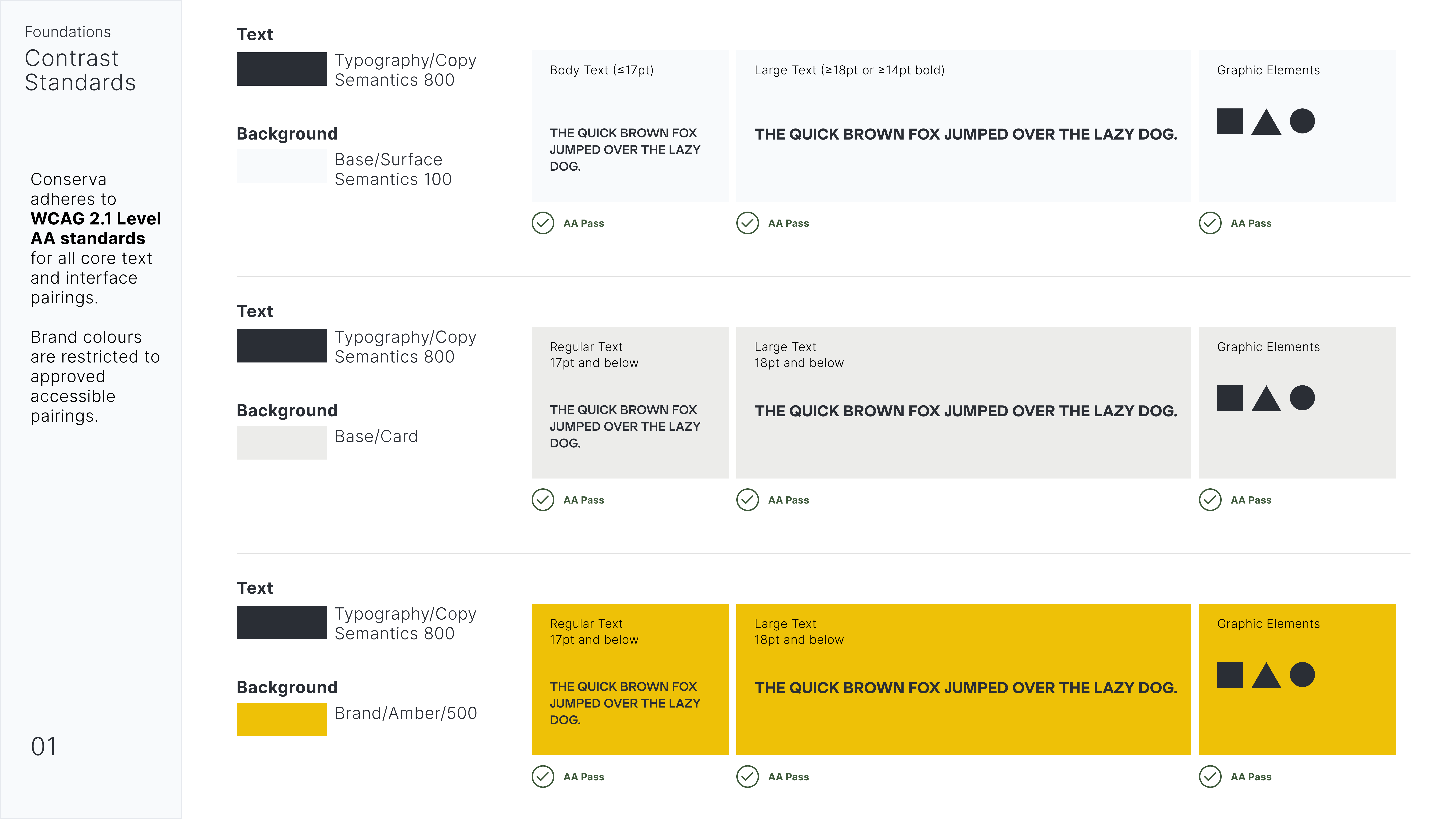
The system in practice, across the product.
From onboarding through checkout, the same rules govern tone, imagery, and layout — proof that restraint at the system level is what lets expression hold up at every touchpoint.
Home: where exploration begins
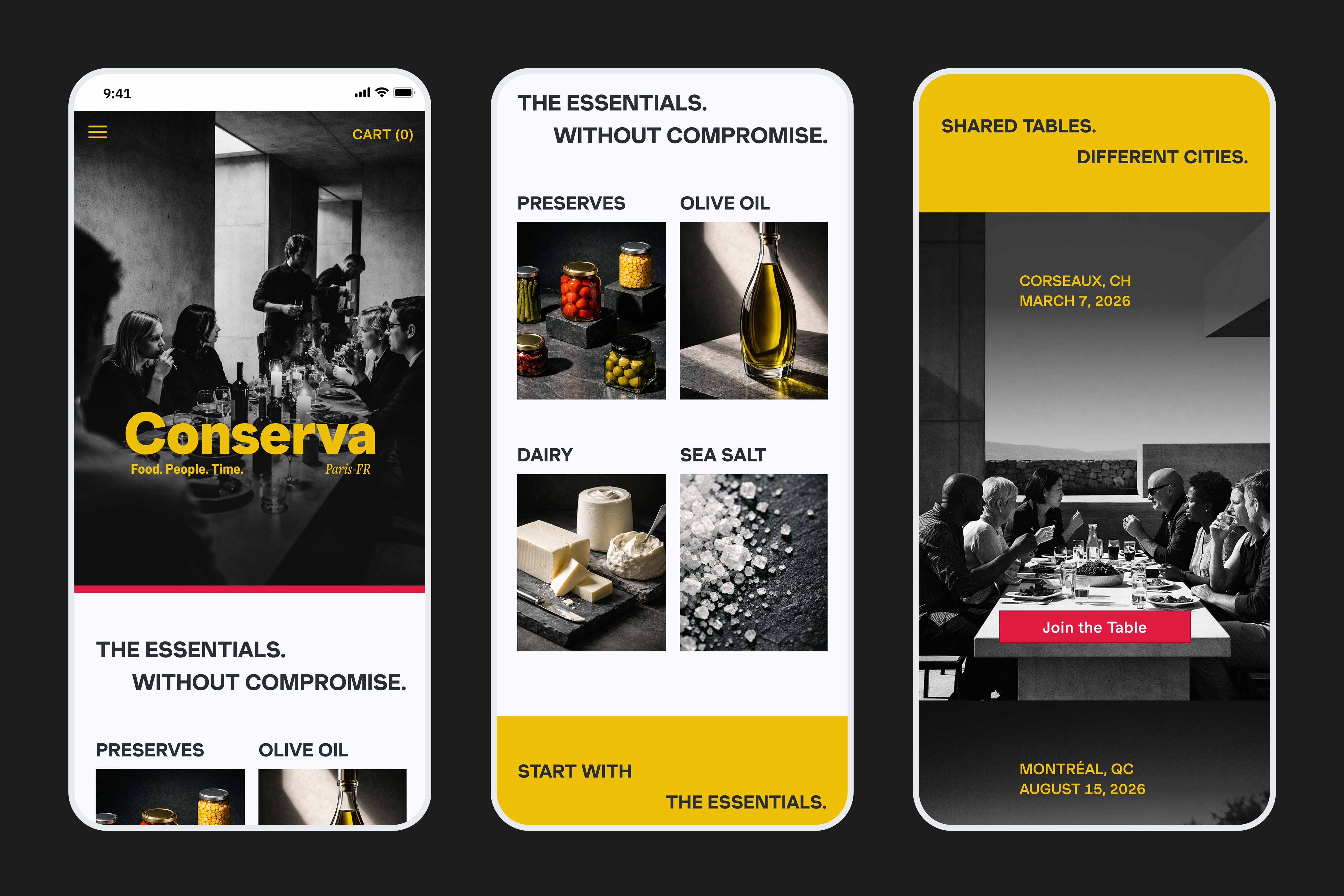
The home experience opens with an editorial statement — bold typography, full-bleed photography, and a city tag that grounds the brand in place. Beneath it, category browsing is structured into a clean modular grid: scannable, fast, and visually consistent. The community event module integrates directly into the feed, framed in saturated yellow, so it reads as part of the brand rather than an interruption.
Shop: product in depth
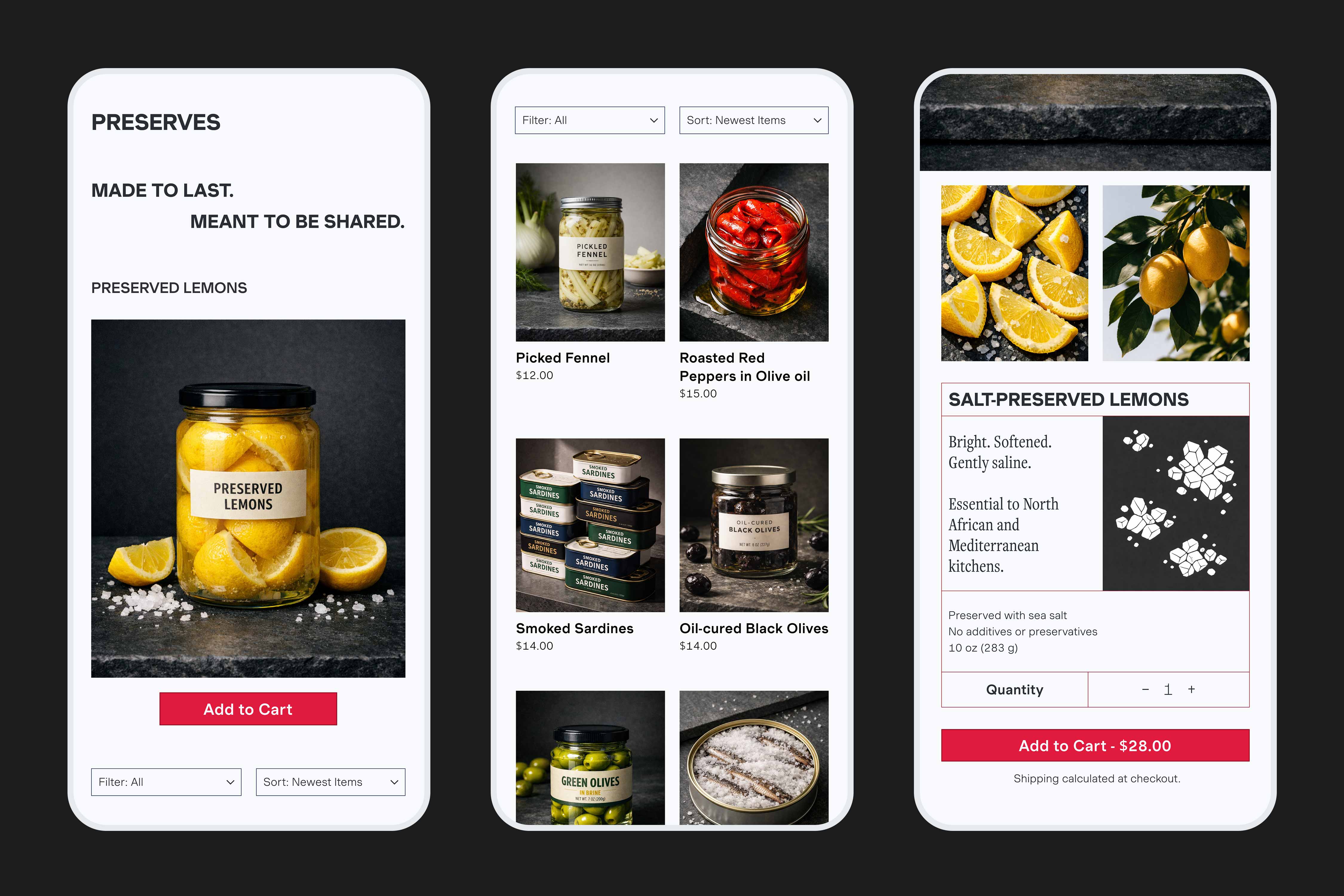
The category page leads with a brand statement — Made to Last. Meant to Be Shared. — before giving way to the product grid. Filtering and sorting sit quietly at the top without competing for attention. The product detail view layers information deliberately: a sensory description first, then provenance, then specs. The Add to Cart button anchors each screen in red.
A coherent product, and a repeatable framework.
Rather than relying on stock imagery, I treated image generation as part of the visual system. Prompts were written to reflect Conserva's language: high contrast, saturated colour, tactile texture, and graphic architectural composition.
Prompting as structured thinking
As I studied other photographs and my image prompt results, I worked through this set of questions constantly: what kind of image is this — editorial still-life, product macro, lifestyle scene? What are we looking at, and how is it placed in the scene? What textures or physical qualities must be visible? How is the scene lit? What colour relationships matter most? How is the image composed? What should the image ultimately communicate? This turned prompting into structured thinking, and the outputs stayed visually coherent and repeatable.
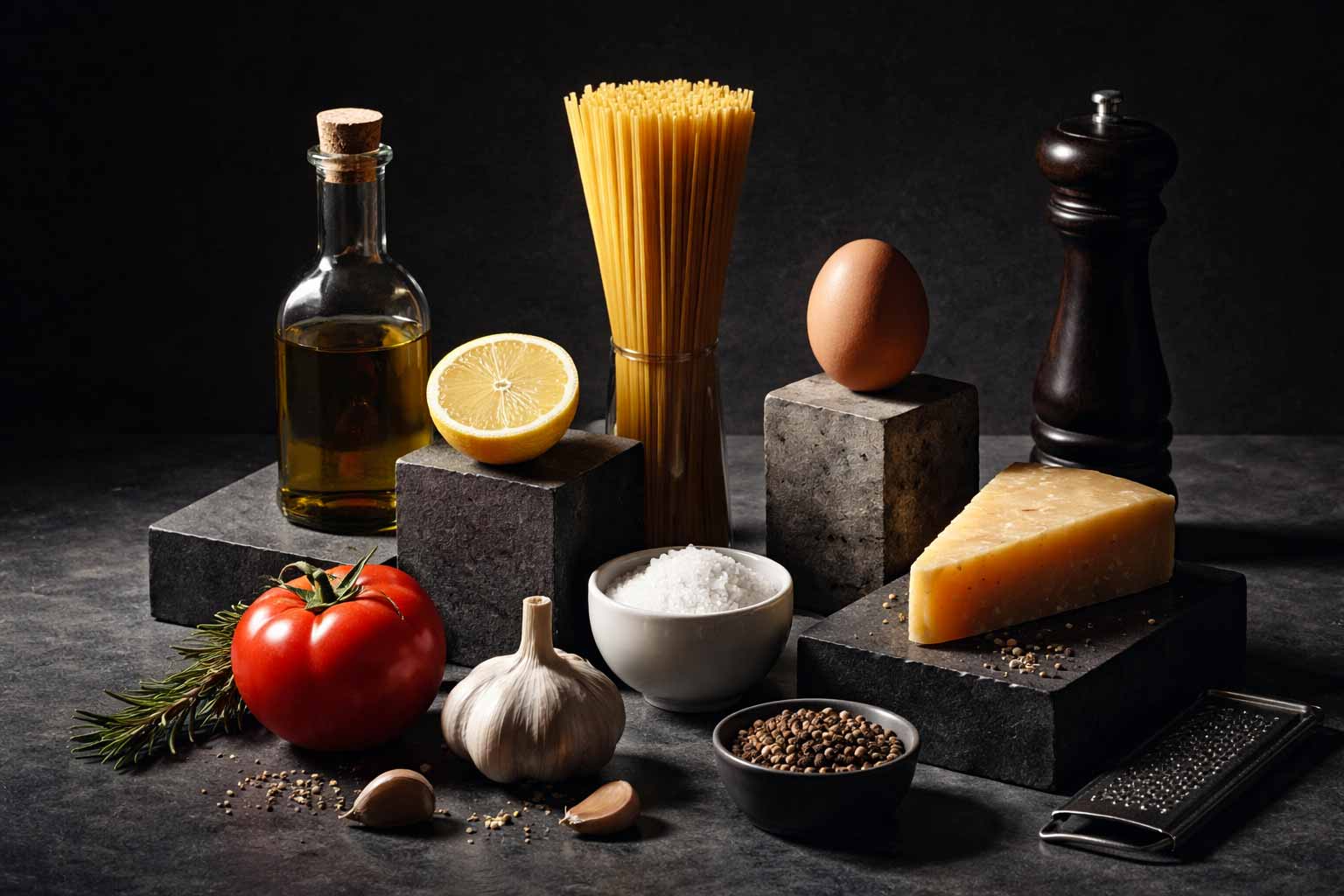
By defining lighting, texture, composition, and colour relationships upfront, the AI didn't wander — it stayed aligned with the brand.
Working on Conserva reinforced something I'd felt in other projects but hadn't articulated as clearly: structure doesn't limit creativity, which became clearest in the moodboarding and system-building phases. These structures protect the brand and make the work move faster, with intention.
Conserva demonstrates that AI-generated imagery can carry a premium brand's point of view at scale — but only when the designer builds the structure first, and directs the generation like a designer, not a prompt-writer.